

Updated on 6 November 2026.
The cost of a WooCommerce store depends on three things: how many products and variations you have, how custom the design is, and which features you need beyond the cart. The WooCommerce plugin itself is free. What you pay for is the work to set it up properly, hosting suited to a store, extra features and care over time. Below you’ll find every cost item, what makes each one change, and how to compare two quotes.
I’m Toure Tia Kevin, a web developer in Bassano del Grappa, Italy. I build online stores with WordPress and WooCommerce, like the one for Newmen Academy, which sells a barber academy’s courses online with registration and payment. In this guide I don’t write any figures: the price of a store depends on the catalogue and the features, and I give it only in the quote, after seeing what you need.
How much does WooCommerce cost?
WooCommerce itself is free: it’s an open source plugin that turns a WordPress site into a store. On its official site it presents itself as a free platform with no monthly subscription and no cut of your sales; hosting is your choice, extensions are separate and, for payments, the fees of the provider you pick apply. The costs come from everything it needs around it.
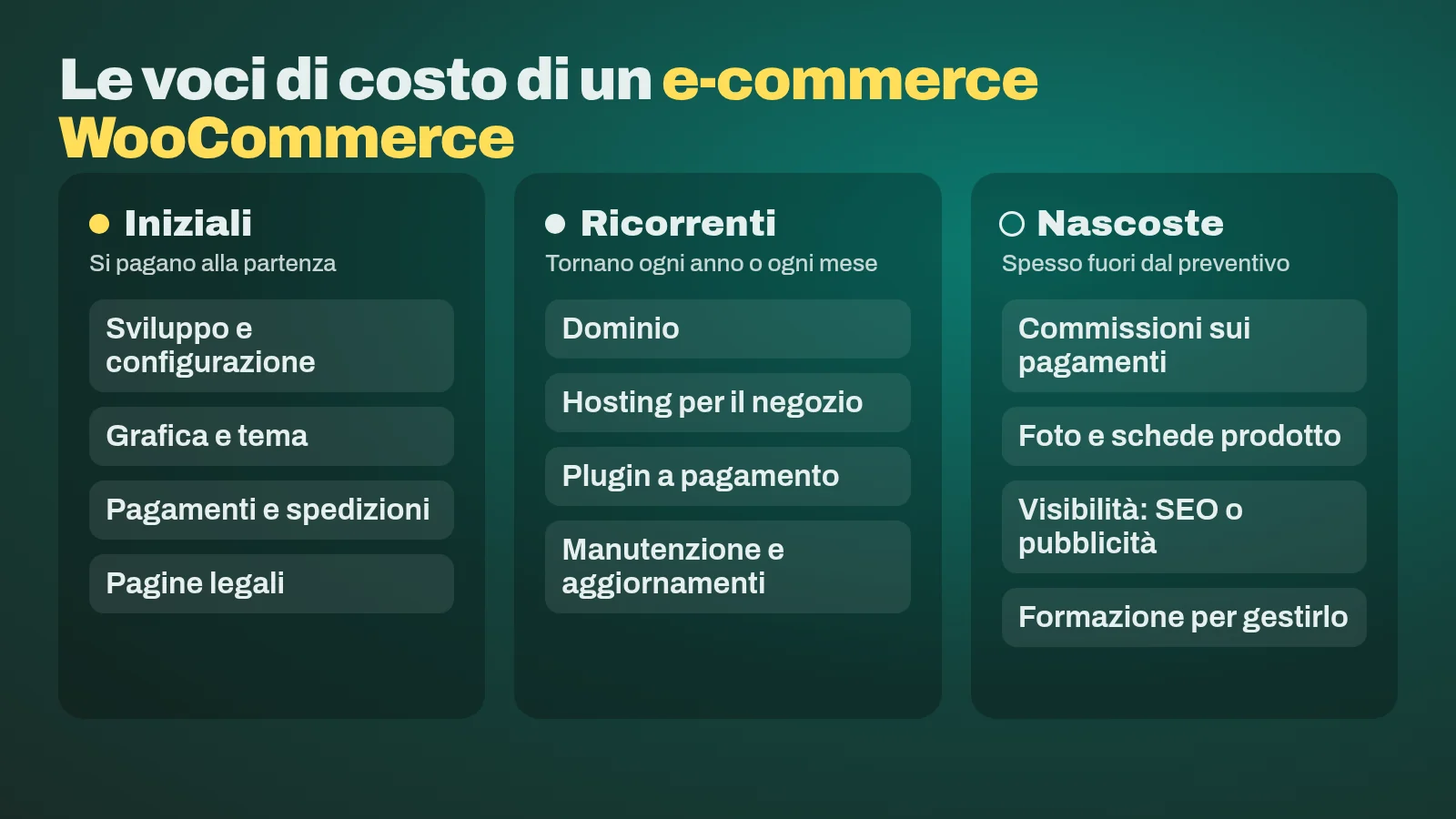
| Item | What it is | When you pay |
|---|---|---|
| Domain (.it or .com) | the store’s address | every year |
| Hosting suited to a store | the server where the store lives | every year or every month |
| Theme | the store’s design base | once, or every year for updates, depending on the licence |
| Paid plugins | extra features: subscriptions, bookings, shipping | depending on the licence |
| Payment fees | the share kept by the payment provider | on every sale |
| Professional development | setup, design, payments, shipping, legal pages | once |
| Maintenance and updates | backups, security, checks | every month |
What does the cost of a WooCommerce store depend on?
When you ask me “how much does it cost”, the answer is: it depends on these three factors, and they change the work, not just the total.
- How many products you have and how many variations (sizes, colours): the bigger and more complex the catalogue, the more time it takes to load, organise and test it.
- How custom the design is: starting from a solid theme and refining it is a different job from designing every page from scratch.
- Which features you need beyond the cart: bookings, subscriptions, trade price lists, multiple languages, links to your management software or stock.
To avoid talking in the abstract, here are three example stores. They are examples, not real clients, and they show where the work lies.
| Simple catalogue | With variations and filters | Custom, linked to management software | |
|---|---|---|---|
| Products | few, no complex variations | many, with sizes, colours and filters | many, updated by another program |
| Design | solid theme, refined | pages designed for your brand | designed from scratch |
| Features | cart, payments, shipping | discount codes, custom emails, several shipping options | link to management software, multiple languages, dedicated price lists |
| Where the work is | setup and testing | catalogue, filters and design | integrations and acceptance testing |
If you want to know how to choose who to hand the work to, read the guide on freelance web designer or agency.
What costs appear after launch?
These are the items that the quickest quotes don’t show.
- Payment fees. Whoever processes the payments keeps a fee on every order: Stripe, for example, states a percentage plus a fixed amount per transaction, with no setup fees or monthly fees (official page in Italian). On thin margins this adds up: keep it in mind when you set your product prices.
- Photos and product pages. Well-made photos and carefully written descriptions help buyers trust you. If you don’t have them, that’s hours of work or a photographer to hire.
- Updates. WordPress, WooCommerce and plugins must be kept up to date. The official WooCommerce page notes that automatic updates should work, but still recommends backing up your site.
- Visibility. An online store doesn’t get visitors on its own: it needs SEO, content or advertising. For the search side, see the SEO consulting service and the guide to local SEO in Veneto (in Italian).
- Rules. Anyone selling online to consumers must follow the rules on withdrawal: according to the European portal Your Europe (in Italian), buyers can generally cancel a purchase within 14 days without giving a reason, and they pay the return costs only if they were told about them before buying. Have your adviser check your terms of sale, privacy and cookies.
WooCommerce or Shopify: how do the costs differ?
They are two different cost models. Shopify works with a monthly subscription by plan and, if you use a third-party payment provider instead of Shopify Payments, that provider may charge transaction fees; extra apps come from Shopify’s app store. With WooCommerce there’s no platform fee: you pay for hosting, paid extensions and the setup work, and the store stays yours, with your data.
In practice: for a few products and no special needs, a subscription platform can be the fastest way to start. If you want control, custom features or a site that combines store, blog and company pages, WooCommerce is usually the route I prefer, because you can move it to another host and connect it to the services you use. Always compare the two models on your own case, item by item.
Can you build a WooCommerce store yourself?
Yes, if you have the time and the will to learn: a domain, hosting and a free theme are enough to get started. The real cost becomes your time, and the most common mistakes (slow checkout, emails that end up in spam, shipping calculated wrongly) are paid for in lost sales. If the store is an important part of your business, it’s worth having a professional handle at least the setup and security.
How to compare two quotes
Two quotes for the same store can look far apart simply because they don’t list the same things. Before comparing them, ask both to state in writing:

- What development includes and what is excluded: number of products loaded, legal pages, courier integrations, test purchases.
- Hosting and domain: who pays for them, in whose name they are registered and what happens if you change supplier.
- Theme and plugin licences: which ones are paid, who holds them and when they expire or renew.
- Maintenance after launch: if there is any, what it includes and who steps in if something breaks. Here is the guide on what website maintenance includes.
- Training: whether at handover they show you how to manage products and orders on your own.
- Data and code: that the store, the customers and the orders stay yours, and that you can take them elsewhere.
If a quote doesn’t answer one of these six points, it doesn’t mean it’s wrong: it means you don’t yet know what you’re comparing. Ask for it to be completed before you decide.
How to optimise spending without losing quality
- Start with the essential catalogue and add products and features after launch, once you know what customers ask for.
- Choose hosting suited to a store, not the most basic plan: a slow checkout can lose more sales than it saves. You’ll find the criteria in the guide on how to choose WordPress hosting.
- Limit paid plugins to those that solve a real problem.
- Prepare texts and photos yourself, if you can: it’s the part that takes the developer the most time.
How I work with you on an online store
The quote is free and in writing, with the items listed separately as in the list above, and the first consultation costs you nothing. First I look at the catalogue and the features you need, then I tell you what is included and what isn’t. After launch I can look after updates, backups and security with the maintenance and hosting service.
You’ll find what my work includes on the page about building e-commerce websites. If your project is closer to a site without online sales, see what the cost of a website depends on instead.
Frequently asked questions
How much does a WooCommerce store cost?
It depends on how many products you have, how custom the design is and which features you need, on top of the costs that come back every year or month (hosting, plugins, maintenance). I don’t write figures here: I give the price in the written quote, after seeing your project.
How long does it take to open a WooCommerce store?
It depends mostly on how ready the product photos and texts are and how many features you need. I estimate the time in the quote, after seeing the catalogue.
Does WooCommerce take a percentage of sales?
No: on its official site WooCommerce presents itself as a free platform with no cut of your sales. The fees of the payment provider you choose, such as Stripe or PayPal, still apply.
Can I run the store myself after delivery?
Yes. At handover I show you how to add products, manage orders and create discount codes from the WordPress dashboard.
Is the cost of the store tax-deductible?
Whether and how the website expense is deducted or depreciated, and whether any grants or tax credits are currently available, is for your accountant to check.
Sources
Read on 6 November 2026.
Text prepared with AI and checked against the sources listed. Kevin’s avatar in the images is generated with AI.